

Indexing Flow
Documents from connectors and user uploads are processed by the Quor indexing pipeline. With default configurations no data ever leaves the deployment.
The LLM-based contextual retrieval and the informativeness model are not enabled by default.
Note that overriding the default configurations may means that documents will be sent to your selected third party
services for processing
- API based embedding model. Teams may choose to do this instead of choosing between running their own GPUs, using a less capable embedding model, or accepting a slower initial indexing.
- Image captioning service. Connecting a vision-capable model lets files with embedded images, as well as standalone image files, be captioned into text so they can be represented for retrieval.
- Connecting an LLM for contextual retrieval. This uses the LLM to prepend a short, document-aware summary to each chunk so it carries the surrounding context, which improves retrieval accuracy for chunks that would otherwise be ambiguous on their own.
Query Flow
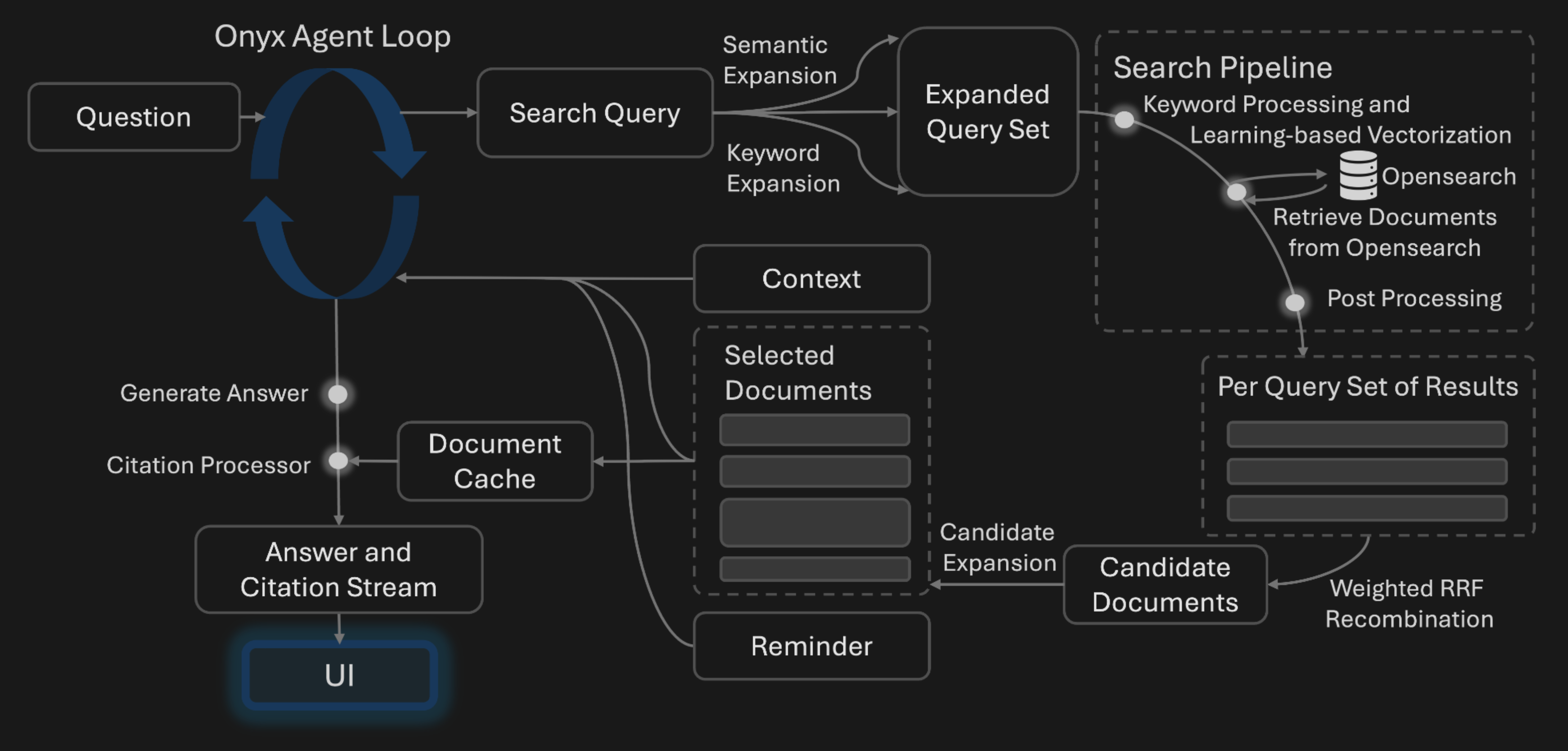 When users query Quor, the LLM determines if the system should fetch additional context or respond to the user directly.
If additional context is needed, the system can run an internal search (outlined above),
invoke a built-in action (such as code execution or web search), or call an action configured by your admins.
By default, the system does not communicate data to any external systems outside of the admin configured LLM.
When users query Quor, the LLM determines if the system should fetch additional context or respond to the user directly.
If additional context is needed, the system can run an internal search (outlined above),
invoke a built-in action (such as code execution or web search), or call an action configured by your admins.
By default, the system does not communicate data to any external systems outside of the admin configured LLM.