# EC2
Deploy Quor on AWS EC2
import CustomDomain from "/snippets/custom-domain.mdx"
import InstallOnyx from "/snippets/install-onyx.mdx"
import DeploymentNextSteps from "/snippets/deployment-next-steps.mdx"
Using AWS EC2 is the recommended way of deploying Quor.
It is simple to set up and should meet the performance needs of 90% of organizations looking to use Quor!
## Guide
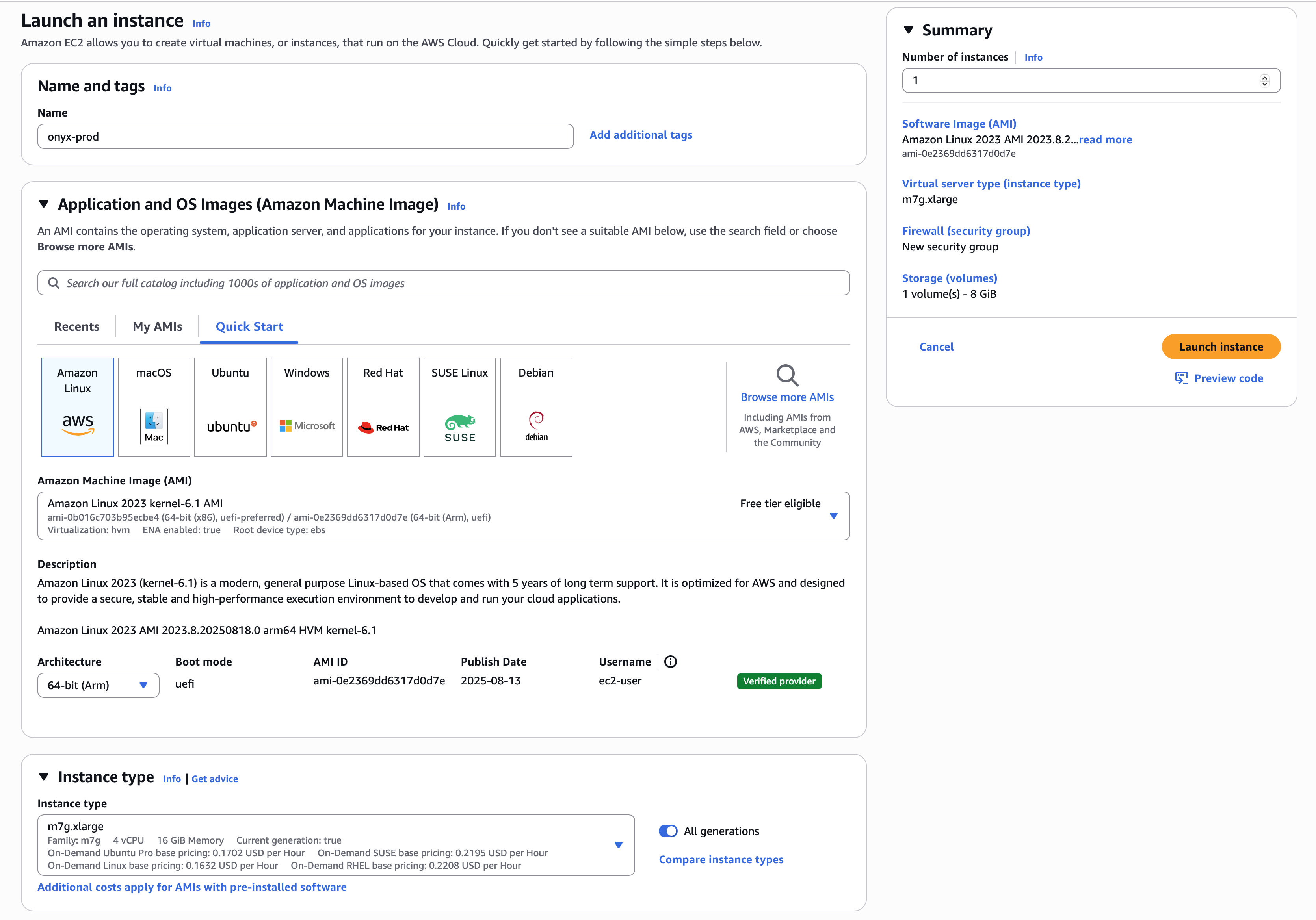
Create an EC2 instance with the appropriate resources. For this guide,
we will use the recommended `m7g.xlarge` instance.
Read our [Resourcing guide](/deployment/getting_started/resourcing) for more details.
- Give your instance a descriptive name like `onyx-prod`
- Select the `Amazon Linux 2023` AMI
- Select the `64-bit (Arm)` architecture
- Select the `m7g.xlarge` instance type
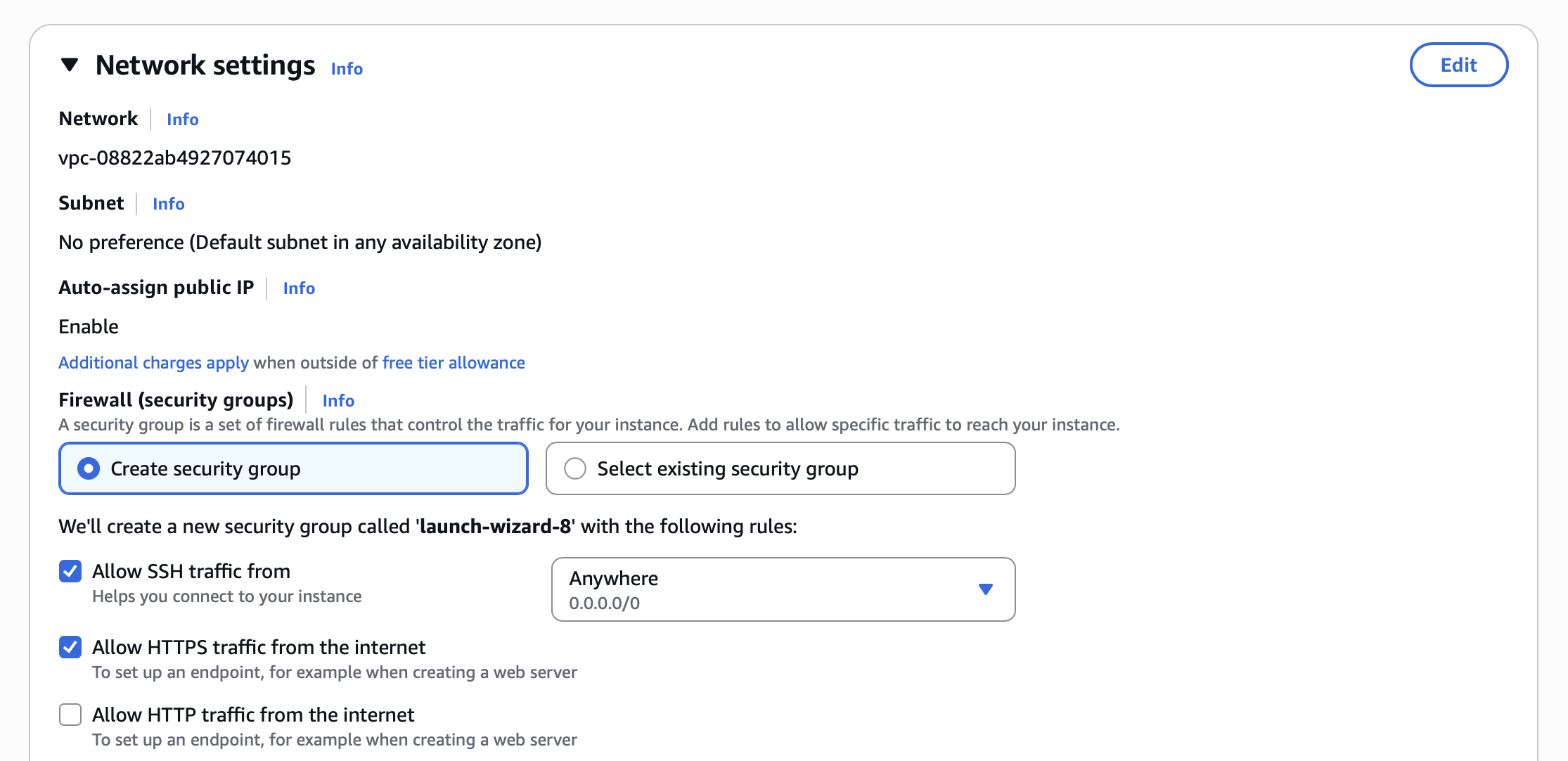
- Select `Allow HTTPS traffic from the internet` in the *Network settings* section
- Configure storage following the Resourcing Guide
 Click **Launch instance** and then view your instance details.
Save the **Public IPv4 address** of the instance!
Click **Launch instance** and then view your instance details.
Save the **Public IPv4 address** of the instance!
 Quor requires `git`, `docker`, and `docker compose`.
To install these on Amazon Linux 2023, run the following:
```bash
sudo yum update -y
sudo yum install docker -y
sudo service docker start
sudo curl -L https://github.com/docker/compose/releases/latest/download/docker-compose-$(uname -s)-$(uname -m) -o /usr/local/bin/docker-compose
sudo chmod +x /usr/local/bin/docker-compose
sudo yum install git
```
Quor requires `git`, `docker`, and `docker compose`.
To install these on Amazon Linux 2023, run the following:
```bash
sudo yum update -y
sudo yum install docker -y
sudo service docker start
sudo curl -L https://github.com/docker/compose/releases/latest/download/docker-compose-$(uname -s)-$(uname -m) -o /usr/local/bin/docker-compose
sudo chmod +x /usr/local/bin/docker-compose
sudo yum install git
```